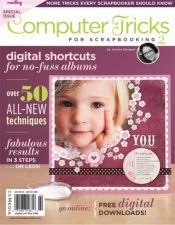
I've been searching the craft stores for a few weeks for this special issue of Creating Keepsakes magazine "Computer Tricks for Scrapbooking 2", by Jessica Sprague. The retail price is $14.99. After reading the first one last April, I was convinced that I needed to get Adobe Photoshop Elements. You can download a free 30 day trial of Adobe Photoshop Elements on the Adobe website or at www.creatingkeepsakes.com/CT2
Why this is cool...
This book is perfect for any type of scrapbooker, whether you are a traditional paper scrapbooker, a hybrid scrapbooker or an all digital scrapbooker. I guess if you are using the computer for these techniques to use on paper you're actually doing hybrid, not traditional. The book is divided into 5 sections; photographs, type, embellishments and brushes, design, and albums. The techniques are all very clear and easy to follow. There are layouts by several different scrapbookers in addition to Jessicas (Noel Culbertson, Greta Hammond, Joanna Bolick to name a few) so you get to see a variety of styles.
The "photographs" section has techniques to help your photos from brightening them up to darkening the edges. There is also a whole photo editing workshop in this part.
The "type" section has a ton of ways to do cool things with the fonts we all love and download. Some of them are ways to edit your text before you print them and cut out for titles. Some are cool ways to print type right on the photos, blending titles right into the photos...and more. There is also some basic information on fonts such as how to download and good info. on types (serifs, etc.) margins, spacing, etc.
The "embellishments and brushes" sections talks about how you can use the computer to make your own custom embellishments such as a block of text cut into a shape, or making a custom shape for a journaling block and extracting an element out of a patterned paper. There is also information on creating overlays, using digital corner rounders and using brushes on photos before printing them. There are so many awesome techniques in this section I can't list them all!
The "design" section shows how to use the drawing and design tools of Photoshop elements in your layouts. There are techniques like using a custom scheme generator to create colors for your layouts, making collages that are unique shapes, using digital rub-ons, using the sketch tool, and clipping masks.
The last section is "album". This section talks about being able to design a whole albums in different sizes and themes. Also there are free album template downloads. There's a fun circular album and an entire mini-album made from one sheet of 8 1/2" x 11" piece of paper!
In addition to the five sections there is a reference guide in the back. Another thing I love about this book is that there are multiple examples of the same techiniques so you can see a few takes on the techniques. It kind of helps you gets ideas how you can use the techniques for your own layouts. There is also free digital kit download.
I give this book an A+, it was well worth the wait. Did I mention that I love this book?


